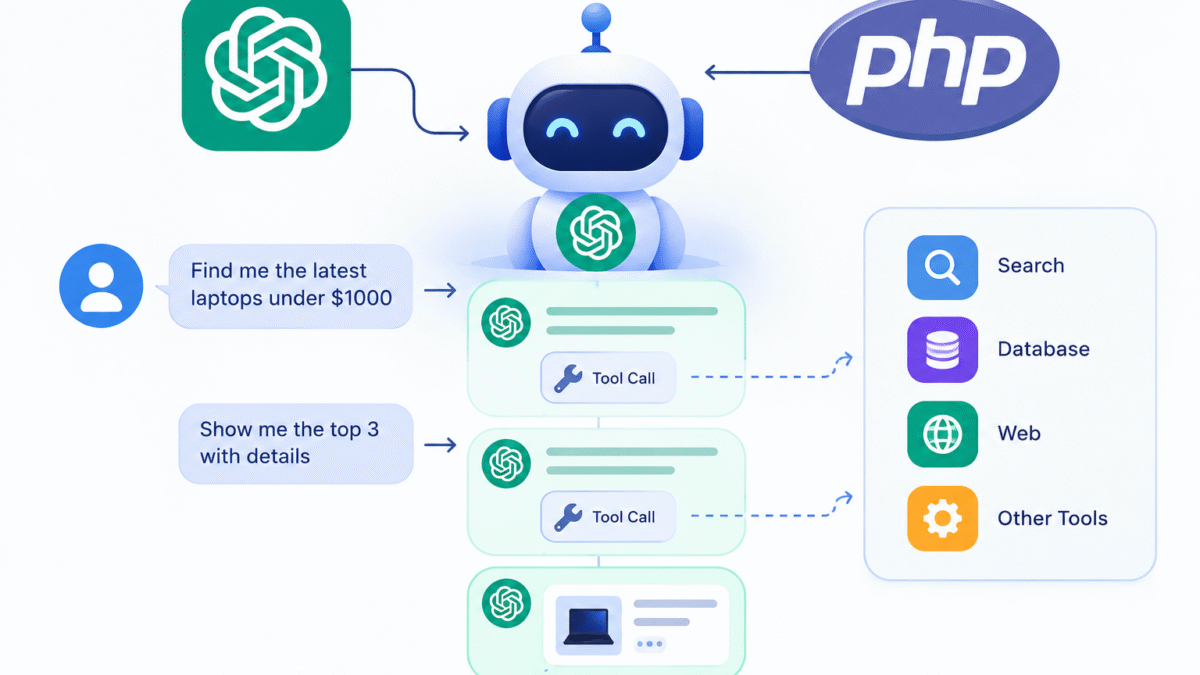

In this blog post we will take a look at the SSE (Server Sent Events), and how to use it, and what it makes optimal choice when developing AI Assistants powered with streaming.
SSE Overview
Web browsers typically request data from servers by sending a request to the server using a form request, or through a url or it can be done from Javascript using XHR and ajax requests.
However there is another technique where the server can send new data to the client periodically. This is where the SSE (Server Sent Events) can be used. Instead of a webpage request data from server, the server pushes these data to the client without asking for it.
The term events in SSE because it much like an event system from server to client, like Websockets, however it differs from websockets in that SSE are unidirectional just the server send data to client but the client cannot reply back, while in websockets is bidirectional both client and server can send to each other.
SSE and Streaming
Streaming responses which are widely used today in AI Chat Assistants, the SSE and Websockets are used to deal with this, however the SSE is preferred in response streaming, that’s because the simplicity of code setup and support among the known browsers, in contrast to websockets which requires a dedicated sockets server and code complexity.
Receiving Events with Javascript EventSource
The Js EventSource interface is used to open an sse connection with the server, it accepts the server url:
const evtSource = new EventSource("./server.php");
Once created an instance of the EventSource object, we can listen to sse events using callbacks or addEventListener,
onopen: fired when connection opened.onmessage: fired when receiver a message event from server.onerror: fired on case an error.
evtSource.onopen = (event) => {
    console.log('Connection opened');
};

evtSource.onmessage = (event) => {
    console.log(event.data);
};

evtSource.onerror = (err) => {
   if(evtSource.readyState !== 0) {
  	console.error("EventSource failed:", err);
   }
};
You can also use addEventListener and specify the event name, instead of the callback style:
evtSource.addEventListener('message', function(event) {
     console.log(event.data);
});
SSE Server
The server to emit an sse event needs to send a special header of “Content-Type: text/event-stream“.
server.php
<?php
header("X-Accel-Buffering: no");
header("Content-Type: text/event-stream");
header("Cache-Control: no-cache");


echo "data: Hello\n\n";
echo "data: Time now ".date('h:i:s')."\n\n";

flush();

sleep(1);
As shown in this code at the start of the script we are using PHP header() function to send the custom headers text/event-stream and the X-Accel-Buffering header.
The X-Accel-Buffering header used in case your server is nginx with reverse proxy to disable response buffering ensuring events are streamed in real time.
SSE Data Format
Next for the data format sent from server to client. The SSE requires a special data format, Messages in the event stream are separated by a pair of newline characters:
echo "data: Hello\n\n";
Each message consists of one or more lines of text listing the fields for that message. Each field is represented by the field name, followed by a colon, followed by the text data for that field’s value.
Field names:
data: The data field for the message, When theEventSourcereceives multiple consecutive lines that begin withdata:it concatenate them.event: A string describing a name of a custom event and if specified it will dispatch a custom event and the client should catch it usingaddEventListener()function.id: The event ID to set theEventSourceobject’s last event ID value.
A colon as the first character of a line is in essence a comment, and is ignored:
echo ":" . str_repeat(" ", 4096) . "\n\n";
flush();
the comment line used to prevent the connections from timing out.
Examples: Latest headlines:
server.php
<?php
header("X-Accel-Buffering: no");
header("Content-Type: text/event-stream");
header("Cache-Control: no-cache");


if (ob_get_level()) {
    ob_end_clean();
}
flush();

$headLines = [
  "News Headline 1",
  "News Headline 2",
  "News Headline 3",
  "News Headline 4",
  "News Headline 5",
  "News Headline 6"
];

$index = 0;

echo ":" . str_repeat(" ", 4096) . "\n\n";
flush();

while($index < count($headLines)) {

  echo "data: " . date('H:i:s') . " {$headLines[$index]}\n\n";

  $index++;

  flush();
}
In this snippet we are sending the latest headlines to the client, this for demonstration purpose but for real world example these data retrieved from DB.
client.html
<h3 id="headline">
    </h3>

    <script>
        const evtSource = new EventSource("./server.php");

        const headline = document.querySelector('#headline');

        evtSource.onopen = (event) => {
            console.log('Connection opened');
        };

        evtSource.onmessage = (event) => {
            headline.textContent = event.data;
        };

    </script>
Example: custom events
server.php
<?php
header("X-Accel-Buffering: no");
header("Content-Type: text/event-stream");
header("Cache-Control: no-cache");


if (ob_get_level() > 0) {
    ob_end_flush();
}
ob_implicit_flush(true);

$events = [
    [
        'event' => 'news',
        'data' => [
            'title' => 'PHP 8.5 Released',
            'category' => 'Technology'
        ]
    ],
    [
        'event' => 'weather',
        'data' => [
            'city' => 'Cairo',
            'temperature' => 34
        ]
    ],
    [
        'event' => 'notification',
        'data' => [
            'message' => 'Your report is ready.'
        ]
    ]
];

foreach ($events as $event) {

    echo "event: {$event['event']}\n";
    echo "data: " . json_encode($event['data']) . "\n\n";

    flush();

    sleep(2);
}
client.php
<script>
   const evtSource = new EventSource("./server.php");

        const headline = document.querySelector('#headline');
        const content = document.querySelector('#content');

        evtSource.onopen = (event) => {
            console.log('Connection opened');
        };

        evtSource.addEventListener('message', function(event) {
            console.log(event.data);

            headline.textContent = event.data;
        });

        evtSource.addEventListener('news', function(event) {
            const news = JSON.parse(event.data);

            console.log(news);

            headline.textContent = news.title;
            content.textContent = news.category;
        });

        evtSource.addEventListener('weather', function(event) {
            const weather = JSON.parse(event.data);

            console.log(weather);

            headline.textContent = weather.city;
            content.textContent = weather.temperature;
        });

        evtSource.addEventListener('notification', function(event) {
            const notification = JSON.parse(event.data);

            console.log(notification);

            headline.textContent = notification.message;
        });
</script>
This example show the use of custom events, beside the default message events shown earlier which captured using the onmessage callback, SSE enable us to send custom events, which allows to send any arbitrary JSON data as in the server.php above.
To listen for the custom events we can use the addEventListener() and provide the event name:
evtSource.addEventListener('news', function(event) {
            const news = JSON.parse(event.data);

            console.log(news);

            headline.textContent = news.title;
            content.textContent = news.category;
});
The event.data contains the JSON data and JSON.parse() is used to read the JSON fields.
SSE With Fetch
The most powerful feature about SSE when using it with fetch request, which provides the ability to respond to button clicks or submit forms with streaming as in Chat forms:
<button type="button" id="send">Send</button>

    <script>
async function readSSE() {

    const response = await fetch("server.php");

    const reader = response.body.getReader();

    const decoder = new TextDecoder();

    let buffer = "";

    while (true) {

        const { done, value } = await reader.read();

        if (done)
            break;

        buffer += decoder.decode(value, {
            stream: true
        });

        let events = buffer.split("\n\n");

        buffer = events.pop();

        for (const event of events) {

            console.log(event);
        }
    }
}

readSSE();

document.querySelector("#send").addEventListener("click", function() {
    readSSE();
});

</script>
When the button clicked, it will call the readSSE() function which makes a fetch request to server.php. Now as the server.php responds with event/text-stream, to retrieve the streaming data we used the response.body.getReader.
The incoming streaming data needs a special way to be parsed correctly, for that we created new instance of TextDecoder to decode the raw value.
Inside while loop we extracted the done and value keys from reader.read() function and created a variable buffer which get’s appended by the decoded value in every iteration:
buffer += decoder.decode(value, {
            stream: true
        });
After the full buffer is complete, we split the buffer using the “\n\n”, these are the separators between each server message, to convert it as array of events.
Next we loop over each event which have this form:
event: news
data: {"title":"PHP 8.5 Released","category":"Technology"}
To get the real event data, we can write another function:
function parseEvent(text) {

    const result = {};

    for (const line of text.split("\n")) {

        if (!line)
            continue;

        const index = line.indexOf(":");

        const field = line.substring(0, index);

        const value = line.substring(index + 1).trim();

        result[field] = value;
    }

    return result;
}
And then inside the for loop, call the parseEvent():
for (const event of events) {

            console.log(parseEvent(event), JSON.parse(parseEvent(event).data));
}
// Output
Object { event: "news", data: '{"title":"PHP 8.5 Released","category":"Technology"}' }

Object { title: "PHP 8.5 Released", category: "Technology" }
Now you have the json data, you can work with.
SSE With Laravel Response Stream
use Illuminate\Support\Facades\Route;

Route::get('/stream', function () {

    return response()->stream(function () {

        for ($i = 1; $i <= 5; $i++) {

            echo "data: Message {$i}\n\n";

            ob_flush();
            flush();

            sleep(1);
        }

    }, 200, [
        'Content-Type' => 'text/event-stream',
        'Cache-Control' => 'no-cache',
        'X-Accel-Buffering' => 'no'
    ]);

});
Notice the callback.
Laravel doesn’t buffer the entire callback. Instead, it executes it while the HTTP response is still open.
Conceptually it’s similar to plain PHP:
response()->stream(function () {

    // execute while response is being sent

});
SSE And Openai streaming
Suppose you’re using the official PHP SDK.
The code looks roughly like this:
$stream = $client->responses()->createStreamed([
    'model' => 'gpt-4.1',
    'input' => 'Explain OOP in PHP.'
]);
The SDK returns an iterator.
Instead of waiting for the whole response, you iterate over each chunk.
use OpenAI\Laravel\Facades\OpenAI;

Route::post('/chat', function () {

    return response()->stream(function () {

        $stream = OpenAI::responses()->createStreamed([
            'model' => 'gpt-4.1',
            'input' => request('message')
        ]);

        foreach ($stream as $response) {

            if ($response->type === 'response.output_text.delta') {

                echo "data: " . json_encode([
                    'text' => $response->delta
                ]) . "\n\n";

                ob_flush();
                flush();
            }
        }

    }, 200, [
        'Content-Type' => 'text/event-stream',
        'Cache-Control' => 'no-cache',
        'X-Accel-Buffering' => 'no'
    ]);

});
This is how openai streaming works, and you capture the streaming events the same way as described above.