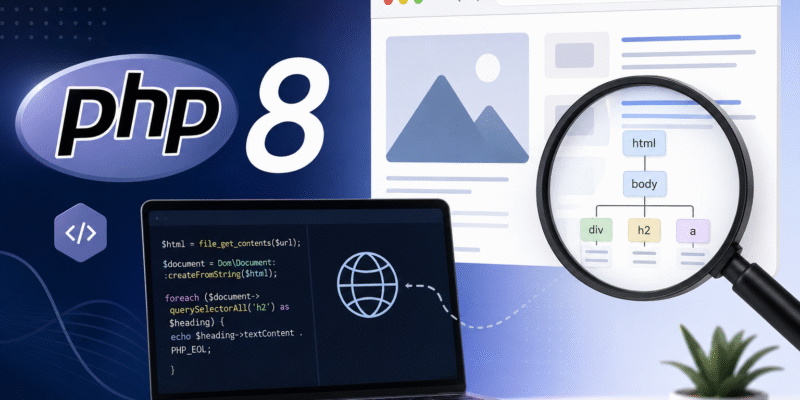
or years, PHP developers relied on the old DOMDocument class to parse HTML and XML documents. While it was powerful, it had one major drawback: HTML parsing was based on HTML 4 rules, which often produced unexpected results when working with modern websites.
Starting with PHP 8.4, PHP introduces a completely new Dom\Document class under the Dom namespace that brings a modern DOM implementation with HTML5-compliant parsing, making it much more predictable and suitable for today’s web.
In this article, we’ll explore the new Dom\Document and Dom\HTMLDocument classes, see how it differs from the legacy DOMDocument, and build a simple web scraper.
Why a New DOM Implementation?
The legacy DOMDocument is built on libxml’s HTML parser, which follows HTML 4 parsing rules.
Modern browsers, however, follow the HTML5 parsing algorithm. This difference means malformed HTML can produce different DOM trees in PHP than in Chrome, Firefox, or Safari.
The new Dom\Document solves this by implementing HTML5 parsing, giving you results much closer to what browsers actually see.
Some benefits include:
- HTML5-compliant parsing
- Better handling of malformed HTML
- Modern namespaced API
- Cleaner object model
- Improved compatibility with modern websites
Some of the classes in the Dom namespace:
Dom\DocumentDom\HTMLDocumentDom\CommentDom\ElementDom\EntityDom\HTMLElementDom\HTMLCollectionDom\NodeDom\NodeListDom\AttrDom\XPath
Basic Example: Creating a document
The new API is extremely straightforward.
<?php
use Dom\HTMLDocument;

$html = <<<HTML
<!DOCTYPE html>
<html>
<head>
    <title>Hello World</title>
</head>
<body>
    <h1>Welcome</h1>
    <p>This is PHP 8.</p>
</body>
</html>
HTML;

$document = HTMLDocument::createFromString($html);

echo $document->title . "<br/>";
echo $document->body->textContent;
Output:
Hello World
Welcome This is PHP 8.
The HTMLDocument::createFromString() method accepts a html string argument and return html document instance which can then use any the methods and properties to query it, as shown we accessed the document title and body text content.
There is also another method HTMLDocument::createFromFile($path) which accepts an html file path instead:
$document = HTMLDocument::createFromFile("./sample-document.html");
Finding Elements
The new API supports familiar DOM methods:
echo $document->querySelector('h1')->textContent;
echo $document->querySelector('p')->textContent;
You can also search multiple elements:
$paragraphs = $document->querySelectorAll('p');

foreach ($paragraphs as $paragraph) {
    echo $paragraph->textContent . PHP_EOL;
}
You may be familiar with querySelector() and querySelectorAll() which works the same as in Javascript.
Reading Attributes
Reading attributes is a common technique when parsing html, suppose we have this html:
<a href="/about" class="btn">About</a>
To read the attributes:
$link = $document->querySelector('a');

echo $link->getAttribute('href') . PHP_EOL;

echo $link->getAttribute('class');
Output:
/about
btn
Creating New Elements
Adding elements is straightforward:
$h5 = $document->createElement('h5');

$h5->textContent = 'Created with PHP 8.';

$document->body->appendChild($h5);

echo $document->saveHTML();
Now the new document becomes:
<body>
    <h1>Welcome</h1>

    ...

    <h5>Created With PHP 8.</h5>
</body>
In addition to that, you can also append or prepend an element to specific node.
For example suppose we have this list:
<ul>
        <li>First Item</li>
        <li>Second Item</li>
        <li>Third Item</li>
    </ul>
You can append an item to this list using the appendChild() as above or using the append() method:
$list = $document->querySelector('ul');

$item = $document->createElement('li');
$item->textContent = 'Fourth Item';

$list->append($item);
Output:
<ul>
        <li>First Item</li>
        <li>Second Item</li>
        <li>Third Item</li>
    <li>Fourth Item</li>
</ul>
You can also prepend to specific node using the prepend() method:
$list = $document->querySelector('ul');

$item = $document->createElement('li');
$item->textContent = 'Fourth Item';

$list->prepend($item);
Modifying Existing Elements
Updating existing elements is straightforward.
$heading = $document->querySelector("h1");

$heading->textContent = "New Heading";
$link = $document->querySelector("a");

$link->setAttribute("href", "https://example.com/about");

$link->setAttribute("style", "color: red;decoration: none;font-size: 20px;");
As you see the DomDocument provides a lot of methods similar to javascript Dom API for document modification.
Exporting HTML
There are many ways to export html:
saveHtml(): serializes the document as an html string, used to preview the html document in the browser instantly:
echo $document->saveHTML();
saveHtmlFile($path): serializes the document to an html file:
$document->saveHtmlFile("./document-out.html");
A Simple Web Scraper
Let’s build a tiny web scraper that extracts article titles from a web page.
First fetch the html contents:
$url = "https://example.com";

$html = file_get_contents($url);

$document = Dom\Document::createFromString($html);
Now collect every <h2>
foreach ($document->querySelectorAll("h2") as $heading) {
    echo $heading->textContent . PHP_EOL;
}
That’s enough for many simple scraping tasks.
Scraping Links
Suppose page contains:
<a href="/post-1">Article One</a>
<a href="/post-2">Article Two</a>
<a href="/post-3">Article Three</a>
To extract both titles and URLs:
foreach ($document->querySelectorAll("a") as $link) {

    echo "Title: " . trim($link->textContent) . PHP_EOL;

    echo "URL: " . $link->getAttribute('href') . PHP_EOL;

    echo PHP_EOL;
}
Output:
Title: Article One
URL: /post-1

Title: Article Two
URL: /post-2

Title: Article Three
URL: /post-3
Scraping Product Information
Imagine an online store that compare prices by scraping product data from multiple stores:
<div class="product">
        <h2>Mechanical Keyboard</h2>
        <span class="price">$89</span>
    </div>

    <div class="product">
        <h2>Gaming Mouse</h2>
        <span class="price">$45</span>
    </div>
Extract product names and prices:
foreach ($document->querySelectorAll(".product") as $product) {
    $name = $product->querySelector("h2")->textContent;

    $price = $product
        ->querySelector(".price")
        ->textContent;

    echo "{$name} - {$price}" . PHP_EOL;
}
For more complex scraping tasks, you can also use the XPath expressions.
Final Thoughts
The introduction of Dom\Document is one of the most significant improvements to PHP’s DOM extension in years. By adopting HTML5-compliant parsing and a cleaner, modern API, it eliminates many of the quirks developers encountered with the old DOMDocument class.